
The AI & bot traffic
reality check
What 10 billion requests, broken crawlers, and WordPress infrastructure reveal about the new bot traffic reality.


Jump to a section
Your analytics are lying to you: A significant chunk of your website's "traffic" isn't human.
Most of the advice out there hasn't helped much. You're told to either block everything or let it all in because AI is the future. Neither position helps you actually manage a WordPress site.
Over the past year, bot traffic has become much more than just a security or SEO story. Now, it's an infrastructure story. Crawlers are hitting dynamic endpoints, getting trapped in query-string loops, bypassing cache, and creating traffic patterns that look less like normal indexing and more like broken automation at scale.
Some key findings
To understand what changed, we looked at industry research, spoke with engineers and practitioners, and analyzed more than 10 billion requests across Kinsta-managed infrastructure. What emerged was not a case for blocking everything or allowing everything, but a case for better judgment.
Insights from
our contributors

“From an infrastructure perspective, there's no such thing as 'just bot traffic.' Every request is real work. At scale, inefficient crawling stops being a traffic problem and becomes a resource problem.”

“Most of what we're seeing isn't malicious. It's bots behaving inefficiently at scale, and that's where the real problems start.”

“The misconception is thinking bot traffic is a simple 'block or allow' problem. In reality, it's about policy, visibility, and economic control.”
More bots aren't the problem.
What changed is how they behave.
For years, the conversation about bot traffic focused on volume.
Teams tracked how much was automated, filtered out the obvious bad actors, and moved on. That approach worked when most bots behaved predictably by crawling pages, indexing content, and leaving.
That model doesn't hold anymore. Over the past two years, bots designed not just to index content for search results but also to ingest it at scale for model training, retrieval-augmented generation, and user-triggered queries have flooded the web. These crawlers are hungrier, faster, and fundamentally less well-behaved than anything that came before.
By late 2025, AI crawlers accounted for 4.2% of HTML requests on Cloudflare's network, and with combined traffic from crawlers like Googlebot, that figure reached 8.5%. At the same time, teams running and managing websites began seeing patterns like repeated requests, loops, and high-volume hits on low-value endpoints that didn't look like traditional crawling at all.
That 4.2% is an annual average. The actual figure swung from 2.4% in early April to 6.4% in late June (nearly a 3x range within a single year). GPTBot alone grew 305% between May 2024 and May 2025. Of all AI crawling activity, 80% is purely for model training (not for search or user queries). It generates no referral traffic back to your site.
Cloudflare Radar 2025 Year in Review
Googlebot alone accounts for ~4.5% of HTML traffic, which is more than all non-Google AI bots combined. It crawled 11.6% of unique web pages, compared with GPTBot's 3.6%, and peaked at 11% of all HTML requests in late April. Blocking it to ease server load would be the most self-defeating move a site owner could make.
Cloudflare Radar 2025 Year in Review

The bigger picture
Most bots aren't attacking.
They're just stuck.
Most AI crawlers are designed to follow every link they find and record every unique page address. That approach works fine on simple sites. But modern websites, especially e-commerce stores, generate slightly different URLs for essentially the same page.
For example, the team observed meta-externalagent (Facebook/Meta AI crawler) repeatedly traversing query string variations across multiple sites. To a human, a product link with color filter, a cart link with a quantity, or a calendar page with a sort order all look like the same page. To a bot following URLs, each one looks brand new.
So the bot follows the first link… that page generates another variation, which the bot follows. And another. And another… It has no way to recognize that it's traveling in circles, and some of these loops ran undetected for multiple days before infrastructure rules caught them.
This kind of behavior doesn't always come from highly sophisticated systems.
As Cloudflare's David Belson points out, not all bots are operating with the same level of discipline: "There's the person who didn't know what the hell they were doing yesterday, but vibe coded a bot today and let it loose — they're not even bothering to check robots.txt."
7.67 million requests hit add-to-cart URLs in 24 hours
Even Google's crawler, the one you absolutely cannot block, got caught in the same trap.
To put the numbers in perspective, 3.75 million requests in 24 hours is roughly one request every 23 milliseconds, all day and all night, each treated on the server as a new request, rather than something that can be cached.
At scale, this kind of behavior isn't always intentional.
"You can't just spray and pray… you've got to act like a responsible end user," Belson explains. "You can't be hammering a website with requests."
Your server doesn't know it's
talking to a bot
The behavior itself is not the issue. If every request were cheap, loops and repeated visits wouldn't matter much.
On a simple static page, most requests can be served from cache. The server returns a cached version of the page, and the cost per request remains low.
That model breaks down quickly on real-world WordPress sites, especially those running WooCommerce, search, filtering, or plugin-heavy functionality.
A large portion of traffic doesn't even hit static pages. It hits endpoints like:
These are not cacheable in the same way. They require the server to do actual work every time.
Each request triggers
A PHP thread (pka PHP worker) is reserved for the full duration of every request. Under sustained bot load, threads exhaust and legitimate visitors wait.
Dynamic pages query your database on every load. No cache layer can absorb this at scale.
Cart and checkout pages create or validate sessions, adding overhead even for bots that never convert.

The SEO cost
Is this an attack? Normal bot activity? Something in between? That ambiguity is exactly what makes it hard to remedy. Because the same patterns affect both performance and discoverability, the right response depends on what you're trying to protect.
Choose what you're
optimizing for
After seeing how bots behave and the impact they can have, the natural reaction is: Block them. But blocking bots indiscriminately isn't the answer, nor is leaving the door wide open.
As Belson puts it: "You need to take the first step and put a bouncer outside the door to decide who gets in and who doesn't."
Not all bots are harmful, and not all traffic should be treated the same way. Some bots drive discoverability, some consume resources without adding value, and others fall somewhere in between.
Even at the network level, the goal isn't to eliminate bots entirely. "I'm not a person who would tell anybody to block all bots," Belson says. "There's real value in some of that traffic."
The challenge now isn't deciding whether bots are good or bad. It's understanding how different decisions affect your site, and how much of each trade-off you're willing to accept.
As Cristian Lopez, Managing Editor at HostingAdvice, puts it: "The misconception is thinking it's simply a 'block or allow' issue. In reality, it's now a question of policy, visibility, and economic control."
Discoverability and performance
Search crawlers are essential for helping people discover your site, but they don't always operate efficiently, which calls for a balancing act. Blocking them too aggressively can limit your visibility in search results, while allowing unrestricted access can introduce unnecessary load, particularly when they start hitting dynamic pages that require real processing rather than being served from cache.
The goal is not to choose one over the other, but to control how much of each you allow, based on how your site actually behaves.
Access and resource cost
Some bots provide indirect value — AI systems referencing your content, tools indexing your pages, or services aggregating data across the web — but every request comes with a cost in terms of CPU usage, database queries, memory, and bandwidth. As that activity scales, those costs don't stay marginal; they accumulate and start to have a noticeable impact.
Not all access needs to be unrestricted. The value a bot provides should be weighed against the cost it introduces.
Control and simplicity
In simple cases, automation can handle bot management effectively, but the right approach ultimately depends on the type of site you're running, the kind of traffic you're seeing, and what matters most for your goals. Relying entirely on automation can simplify things, but it also means you are not shaping how those decisions are made for your specific site.
The best systems don't force a choice between ease and control. They allow you to start simple and adjust where it matters.
This overlap causes confusion. Traffic spikes, performance drops, and it's not always clear whether to block, allow, or ignore, even for the same pattern on two different sites.
"Should I allow bots?"
"Which bots, on which parts of my site, under what conditions?"
Answering this question requires a different way of thinking. We explore that in the next section.
A better way to decide what to
allow, challenge, or block
There is no universal bot policy that works for every site. A WooCommerce store, a content site, a business website, and a staging environment do not face the same risks, and do not require the same solutions.
The right approach depends on what your site does, what kind of traffic it receives, and what you're trying to optimize for. In most setups, this level of decision-making is handled by infrastructure tooling rather than manually configured per-request, but understanding the logic helps you know what's running on your behalf, and when it makes sense to adjust.
What matters here is not just traffic, but the kind of visibility you want, whether it's search rankings, AI citations, or direct user visits.
Your performance issues are likely bots hitting WooCommerce's add-to-cart and checkout endpoints. These bypass the page cache entirely and force PHP execution and database queries on every single request. The fix isn't blocking everything. The goal is protecting specific high-cost paths.
/cart, /checkout, ?add-to-cart= paths via robots.txt/shop?add-to-cart=, and /checkout in robots.txt./shop, /product/, and category pages for your store to rank. Restrict it from specific dynamic endpoints only, not the whole site.The configurations above represent what managing bot traffic looks like when done by hand. In practice, Kinsta's Bot Protection handles the majority of these patterns automatically. Enable your desired level of protection once, and our system takes care of the rest (no per-path rules or manual exceptions required).
Most systems weren't designed
for this level of control
Most platforms either manage bot traffic automatically by making decisions behind the scenes or expose controls that require manual configuration.
Automatic systems catch obvious threats and allow known crawlers, but they don't account for how traffic behaves on specific parts of your site, or what it costs in context. In some cases, legitimate AI crawlers get blocked at the edge, creating a discoverability blind spot most teams never know about.
Manual controls offer more flexibility. But they often require a level of precision that most site owners don't have time to manage continuously. And without guidance, they're easy to misconfigure.
What's missing isn't just control, but usable control.
The ability to adjust behavior where it matters, without breaking essential traffic, and without rebuilding your entire approach from scratch every time something changes.
Most sites don't need complete automation or complete control. They need the ability to make targeted decisions without having to rebuild their entire traffic strategy every time patterns change.
At this point, the challenge isn't identifying bot traffic. It's managing it in a way that reflects how your site actually works.

What the right response looks
like in different situations
By this point, the pattern is clear that there isn't a single rule that works everywhere. The right response depends on what kind of site you're running, what kind of traffic you're seeing, and how urgent the situation is.
What follows isn't a checklist. It's a way to think through what to do next based on where you are right now.
Start with visibility, then make one targeted decision
Before making changes, look at what your traffic actually consists of. You're not trying to identify every bot. You're looking for patterns: repeated requests to the same types of URLs, especially ones that shouldn't matter to a crawler, like cart endpoints or parameter-heavy pages. Most analytics tools or server logs will give you enough visibility to spot this activity.
Most platforms already filter the most clearly broken patterns, such as obvious loops or known abusive traffic. Make sure those baseline protections are active and give them time to run. They're usually conservative by design, which means they reduce noise without affecting legitimate visitors or search crawlers.
Once you see a pattern, act on that pattern (not everything at once). If bots are repeatedly hitting dynamic endpoints, limit access to those paths. If specific crawlers are scraping content aggressively, decide whether that access is worth the cost. The goal at this stage isn't perfection; it's to reduce unnecessary load without introducing new problems.
Apply this process across a few different client sites. The patterns you see on an e-commerce site, a content site, and a service site will be different, but consistent enough to build a repeatable approach for client conversations.
Bot traffic isn't going anywhere.
Your strategy should
By this point, the pattern is clear. Bot traffic is no longer something you can treat as occasional noise or filter out at the edges. It is a constant, evolving part of how websites are accessed and stressed.
What makes it difficult isn't just the volume, but the overlap. The same systems that help people find your site can also consume its resources, and patterns that appear to be normal crawling can behave like inefficient automation at scale.
So no single rule works everywhere.
The right approach depends on your site, your traffic, and what you're trying to protect. It requires understanding how your site actually behaves, and making decisions that reflect that reality.
This kind of shift isn't entirely new in the web's evolution. As Jordan Sprogis, Contributing Expert at HostingAdvice, puts it: "It's not that different from where SSL was, where it was a paid add-on for a long time… now, SSL certificates are included in just about every hosting package."
Most of the time, the goal is to reduce unnecessary load, preserve visibility where it matters, and maintain a system you can rely on as things change. What comes next will be harder to categorize. Agentic traffic, automated tools built to take actions, is already showing up in infrastructure data. Google recently announced a dedicated user-agent to log when its AI agents interact with sites. The responsible platforms will identify themselves, respect crawl delays, and avoid hammering endpoints that serve no purpose. Others won't. The line between a human visitor and an agent will continue to blur.
And when automated traffic inflates your visit counts, raw numbers no longer reflect reality. The signals that matter are the correlated ones: branded search volume, direct traffic, engagement quality, and revenue tied to real visitor behavior. If those metrics are also moving, you know you're visible where it counts.
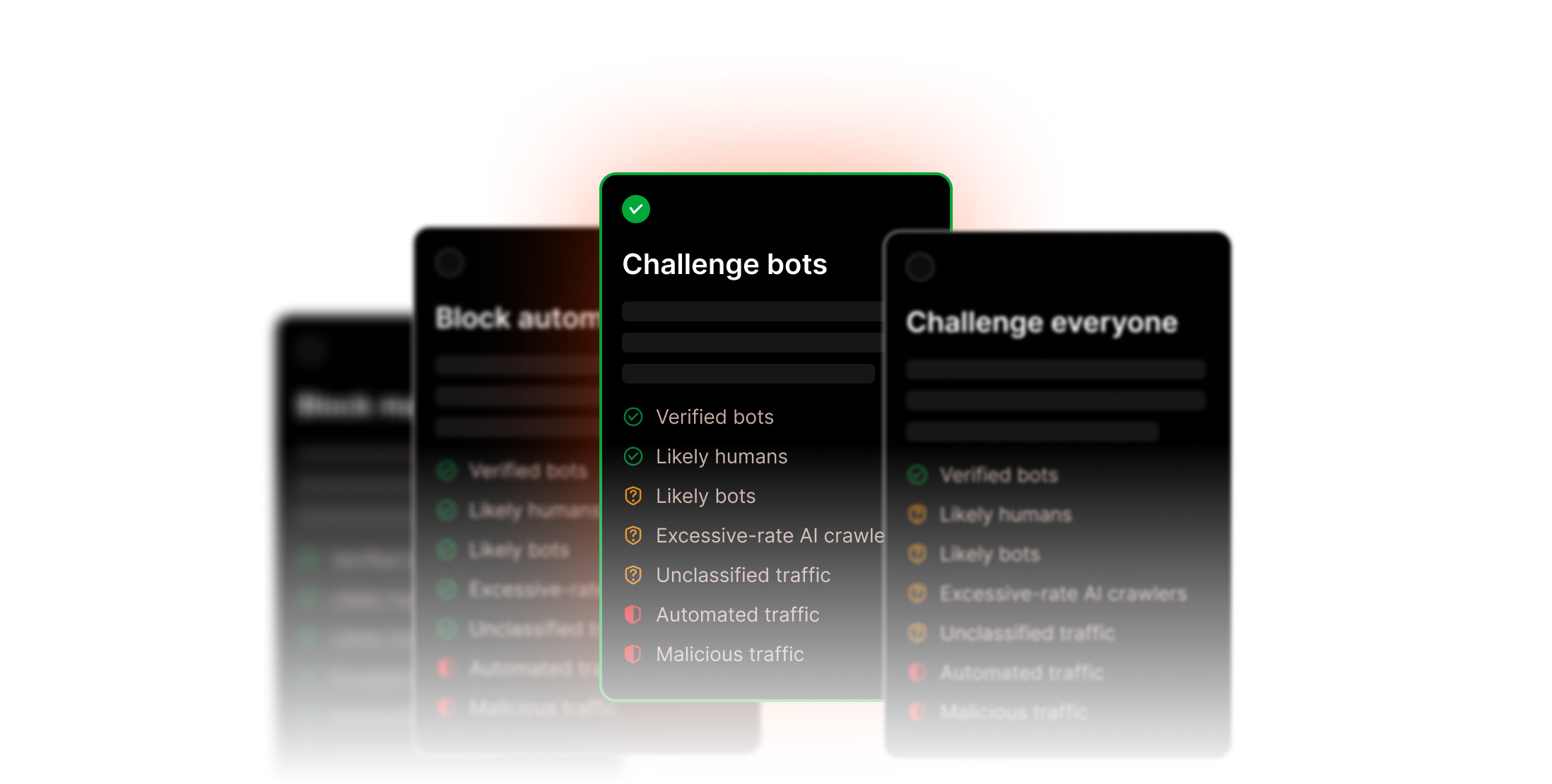
Control how bots interact with your WordPress site without breaking search visibility
Kinsta's Bot Protection gives you environment-level control with sensible defaults, so you can manage how different types of traffic interact with your site without blocking search engines or compromising discoverability. Included in all plans.

This report was brought to you by Kinsta.
Kinsta is a premium managed WordPress hosting platform with more than 230,000+ customers worldwide. #1 on G2 for satisfaction. 24/7 expert support in 10 languages.
Someone on your team should probably see this.
Managed hosting for WordPress