Kinsta Bot ProtectionMost of your site traffic isn’t human. Control what gets through.
Kinsta’s Bot Protection gives you a clear way to manage growing automated traffic. Pick from pre-set protection levels or dial in granular settings to control how bots are handled across your environments.

How Kinsta Bot Protection works
Kinsta gives you enterprise-grade security with granular controls that allow you to manage automated traffic.

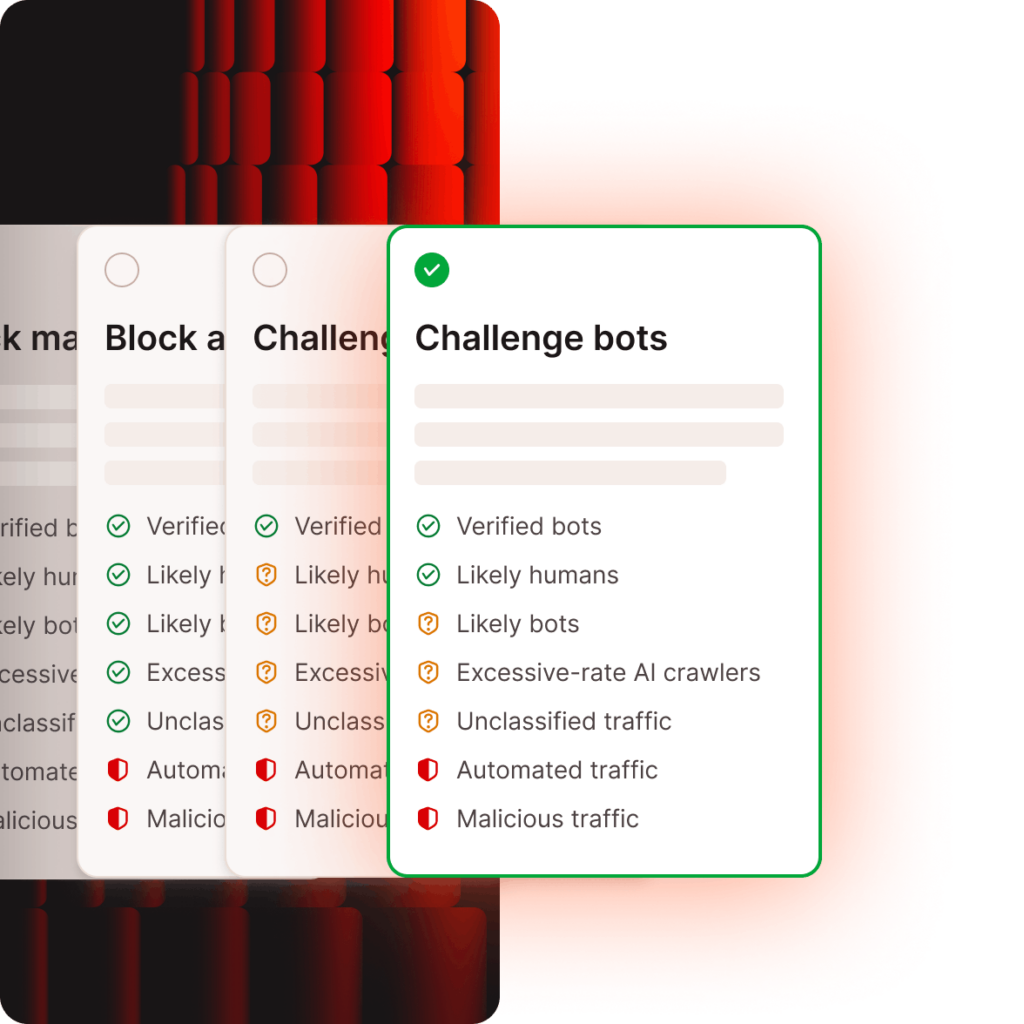
4 pre-set protection levels
Apply rules per environment, from blocking likely malicious traffic to challenging all visitors.
Cloudflare bot scores
Suspicious traffic is identified in real time and challenged with CAPTCHA when needed.
Verified bot exclusion
Ensures recognized search engine bots remain unaffected so SEO rankings never suffer.
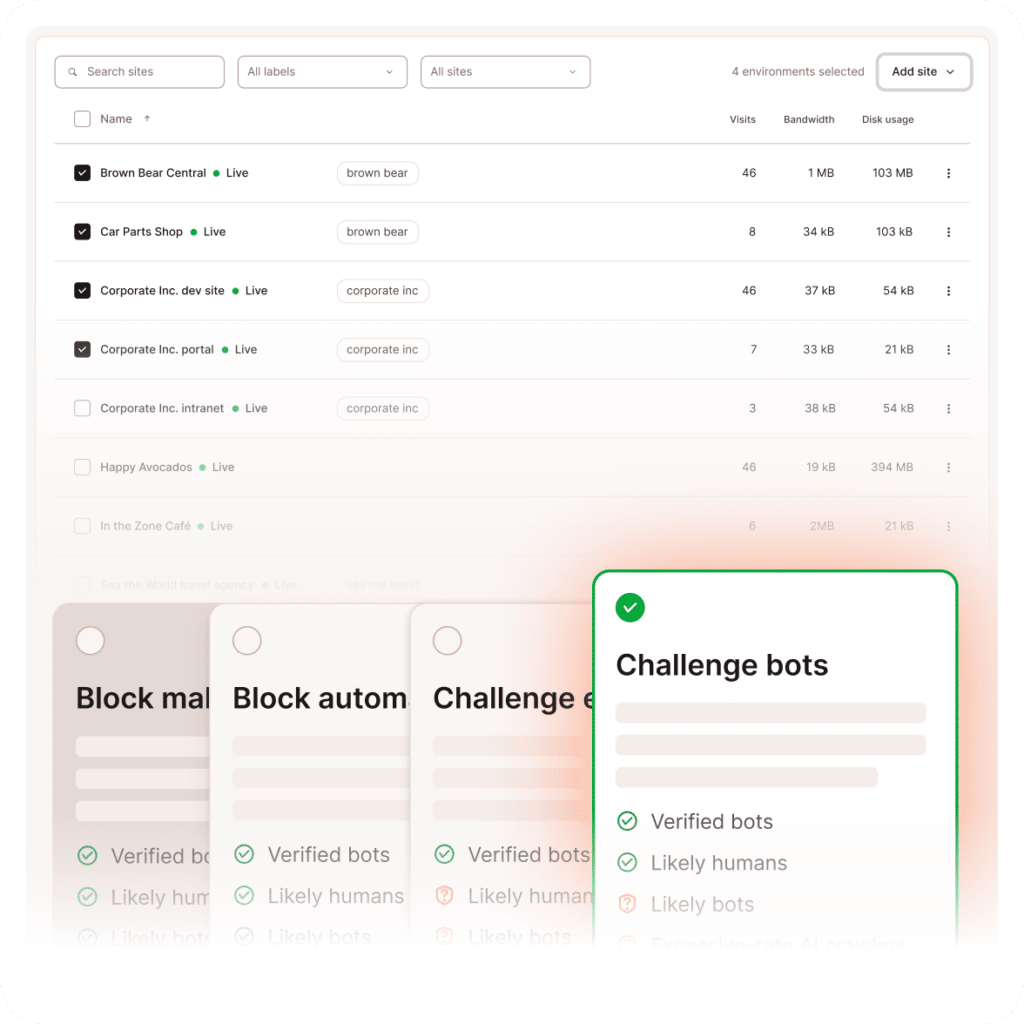
Bulk control
Adjust bot protection settings across multiple sites and environments in seconds.
Traffic analytics
Understand how site requests are classified, and whether traffic is being allowed, challenged, or blocked.
Because “just block it” isn’t a strategy
Built-in safeguards keep legitimate users, APIs, and critical services running while filtering out unwanted traffic. Included in all plans at no extra cost.

Performance Protection
Reduce performance strain caused by aggressive automated traffic and AI crawlers to keep your infrastructure stable.

Emergency Lockdown
Under attack? Temporarily challenge all traffic to block abuse while keeping your site accessible to real users.

Improved Analytics
Filter out automated noise at the source so the traffic behavior you see in MyKinsta reflects the right visitors.
Reclaim your site from automated traffic
| Without Bot Protection | With Bot Protection |
|---|---|
| Performance slows during bot spikes | Performance stays consistent |
| Inflated visit metrics and skewed data | Clean, actionable analytics |
| Unexpected overage costs | Usage becomes more predictable |
| Issues are handled reactively | You stay in control |

“Adapting Social saved 250 hours annually with Kinsta’s streamlined site maintenance tools.”
Christopher lafelice
Chief Operating Officer at Adapting Social, a digital marketing agency.
Setup takes seconds
Enable Bot Protection directly inside MyKinsta.
- Open your site environment or bulk select sites
- Go to Bot Protection
- Choose one of four pre-set protection levels or toggle Block AI crawlers.
Changes apply instantly to the environment. Adjust or disable at any time.
FAQs
What does Kinsta’s Bot Protection do for websites?
Bot Protection helps you identify and manage automated traffic hitting your site. This includes blocking likely malicious bots, filtering out unwanted crawlers, and allowing trusted bots, such as search engines, to pass through.
Why is bot traffic a problem?
Not all traffic is useful. Bots can slow down your site, inflate your analytics, and increase infrastructure costs, especially when they repeatedly hit dynamic or uncached pages.
How does Kinsta Bot Protection work?
Bot Protection is built into MyKinsta and lets you control how automated traffic is handled. You can choose from four protection levels and adjust them instantly per environment, based on your site’s needs.
Will Kinsta’s Bot Protection affect SEO or search engine crawlers?
Verified bots like Googlebot are automatically allowed through, so your search rankings and indexing are not affected.
Can I block AI crawlers specifically?
Yes. You can toggle AI crawler blocking directly in MyKinsta to reduce unnecessary load from AI scraping tools.
Can I apply Bot Protection to multiple sites at once?
Yes. Bulk controls let you apply and update protection levels across multiple sites and environments without configuring each one individually.
Can I create a custom allow list?
Yes! You can add exceptions for trusted traffic that should always be allowed to access your site, regardless of the bot protection level enabled.
You can create exceptions by IP address, path, or user agent, ensuring that your integrations, API endpoints, monitoring tools, and more are unaffected.
Do I need third-party tools or plugins for bot protection?
No. Bot Protection is built into Kinsta and included in all plans.
How do I know if I need bot protection?
You may benefit from increasing your level of bot protection if you’re seeing unexpected traffic spikes, slower site performance without code changes, analytics that don’t match real user behavior, or high resource usage from crawlers.
Can’t find what you’re looking for? Chat with us