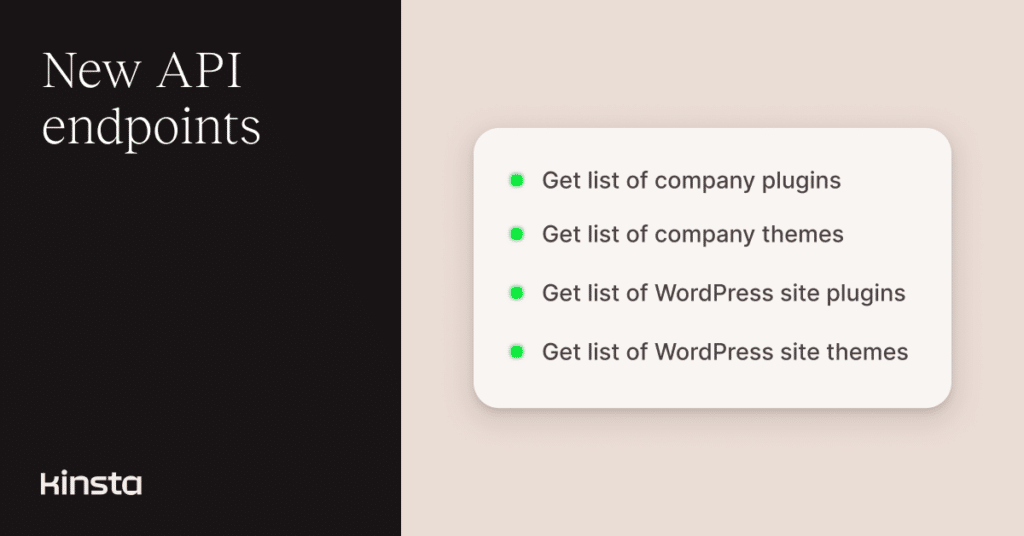
We’ve added new API endpoints that make it easier to retrieve WordPress plugins and themes at both the company and site level.
This update also introduces improved site-level endpoints and deprecates older ones, providing a more consistent and extensible structure.
View plugins across your entire company
You can now retrieve a consolidated list of all WordPress plugins used across your company using the /company/{company_id}/wp-plugins endpoint:
curl -i -X GET \
  'https://api.kinsta.com/v2/company/{company_id}/wp-plugins' \
  -H 'Authorization: Bearer '
The response groups plugin data at the company level and includes useful context such as the total number of plugins, when the data was last updated, and a breakdown of where each plugin is installed.
{
  "company": {
    "plugins": {
      "total": 15,
      "last_updated_at": "2026-01-01T12:00:00Z",
      "items": [
        {
          "name": "elementor",
          "title": "Elementor",
          "latest_version": "3.22.1",
          "is_latest_version_vulnerable": false,
          "environment_count": 5,
          "update_count": 2,
          "environments": [
            {
              "site_display_name": "My Awesome Site",
              "display_name": "Live",
              "plugin_status": "active",
              "plugin_version": "1.0.0",
              "plugin_update": "available"
            }
          ]
        }
      ]
    }
  }
}
You can also refine the results by applying filters in the request body. For example, the request below returns active plugins that have updates available, sorted alphabetically by name:
curl -i -X GET \
  'https://api.kinsta.com/v2/company/{company_id}/wp-plugins' \
  -H 'Authorization: Bearer ' \
  -H 'Content-Type: application/json' \
  -d '{
    "status": "active",
    "column": "updatesAvailable",
    "order_by": {
      "field": "name",
      "order": "ascend"
    }
  }'
Additional filters, search options, and sorting rules are available in the Kinsta API documentation.
View themes across your entire company
You can retrieve a consolidated list of all WordPress themes used across your company through the Kinsta API. This provides a centralized view of theme versions, update availability, and where each theme is being used across environments.
Here is an example request:
curl -i -X GET \
  'https://api.kinsta.com/v2/company/{company_id}/wp-themes' \
  -H 'Authorization: Bearer '
The response includes theme metadata, version information, update status, and a breakdown of environments where each theme is installed:
{
  "company": {
    "themes": {
      "total": 15,
      "last_updated_at": "2026-01-01T12:00:00Z",
      "items": [
        {
          "name": "twentytwentyone",
          "title": "Twenty Twenty-One",
          "latest_version": "1.0",
          "is_latest_version_vulnerable": false,
          "environment_count": 5,
          "update_count": 2
        }
      ]
    }
  }
}
Similar to the plugins endpoint, you can refine results using filters and sorting options to focus on active themes, update availability, or specific themes. Refer to the API documentation for the full list of supported parameters.
View plugins for a specific WordPress site
In addition to company-wide visibility, you can now retrieve a list of plugins installed on a specific WordPress environment.
Here is an example request:
curl -i -X GET \
  'https://api.kinsta.com/v2/sites/environments/{env_id}/wp-plugins' \
  -H 'Authorization: Bearer '
The response includes plugin details such as status, version, update availability, vulnerability indicators, and auto-update configuration:
{
  "environment": {
    "plugins": {
      "items": [
        {
          "name": "akismet",
          "title": "Akismet Anti-Spam: Spam Protection",
          "status": "active",
          "version": "1.0.0",
          "update": "available",
          "update_version": "1.0.1",
          "is_version_vulnerable": false,
          "auto_update_type": "Kinsta Automatic Update"
        }
      ],
      "last_updated_at": "2026-01-01T12:00:00Z"
    }
  }
}
As with the company-level endpoints, you can refine results using filters such as plugin status or update availability. The filtering options and an example are available in the API documentation.
View themes for a specific WordPress site
You can also retrieve a list of themes installed on a specific WordPress environment using the Kinsta API. This gives you a focused view of theme usage for a single site, including which themes are active, which have updates available, and their current versions.
Here is an example request:
curl -i -X GET \
  'https://api.kinsta.com/v2/sites/environments/{env_id}/wp-themes' \
  -H 'Authorization: Bearer '
The response includes theme details such as status, version, update availability, vulnerability indicators, and auto-update configuration:
{
  "environment": {
    "themes": {
      "items": [
        {
          "name": "twentytwentythree",
          "title": "Twenty Twenty Three",
          "status": "active",
          "version": "1.0.0",
          "update": "available",
          "update_version": "1.0.1",
          "is_version_vulnerable": false,
          "auto_update_type": "Kinsta Automatic Update"
        }
      ],
      "last_updated_at": "2026-01-01T12:00:00Z"
    }
  }
}
As with the plugins endpoint, you can apply filters to narrow down results by status or update availability. Refer to the API documentation for the parameter details.
Better visibility into WordPress plugins and themes
With these additions, the Kinsta API now provides clearer visibility into plugins and themes at both the company and site level.
Whether you’re auditing updates, monitoring vulnerabilities, or managing WordPress environments at scale, these endpoints make it easier to build reliable maintenance and reporting workflows.
You can find full request parameters, filters, and response examples for each endpoint in the Kinsta API documentation.