Add as a preferred source on Google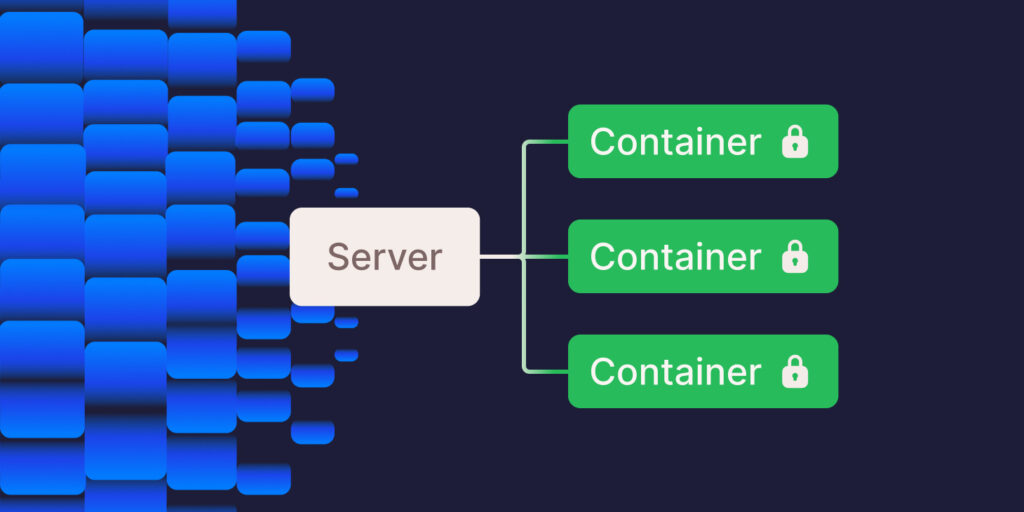
When choosing the right web hosting for your sites, you consider factors like speed, security, pricing, and scalability. Hosting providers try to meet those needs in different ways: with shared hosting, dedicated hosting, virtual private server hosting, and more.
In the past, we have written several guides comparing the various types of hosting, but in this guide, we explore isolated container technology and the underlying container technology of Kinsta’s infrastructure.
What are containers?
Before diving into isolated container technology, let’s consider what containers are. Containers are standalone packages that include everything needed to run an application, including the code, runtime, system tools, and libraries.
Unlike traditional virtualization, where each virtual machine (VM) runs its operating system, containers share the host OS kernel, which makes them lightweight and efficient.
Benefits of container technology
There are several advantages to using containers in web hosting, including:
- Portability: Containers encapsulate a website and its resources, making them highly portable. You can easily move a container from one hosting environment to another (like from a developer’s laptop to a test environment and then to production) without worrying about inconsistencies or compatibility issues.
- Consistency and efficiency: Containers enhance web hosting by efficiently using resources while ensuring websites run consistently across all environments, from development to production.
- Rapid deployment and scaling: Containers can be created and deployed quickly — a significant advantage in continuous integration and continuous delivery (CI/CD) environments. They also allow for quick recovery in case of a failure, as you can rapidly start a new container with the same configuration.
- Isolation and security: Containers provide an isolated environment for each site. This isolation ensures that the processes within a container do not affect other containers or the host system. This improves security, as issues in one container are contained and don’t impact others.
Challenges of container technology
Though there are many good things about using containers in web hosting, there are a few drawbacks as well:
- Security concerns: In web hosting, ensuring the security of containers is crucial as they share the host’s OS kernel. One container’s vulnerabilities could risk the entire server’s security, necessitating strong isolation and security practices.
- Complexity: Managing multiple containers for web hosting can be complex. Orchestrating these containers’ deployment, scaling, and maintenance requires expertise, especially when using tools like Kubernetes for larger setups.
- Storage challenges: Containers are typically designed to be ephemeral, which can introduce challenges for persistent storage in hosting environments. Effective strategies are needed to ensure data from websites remain intact even when containers are restarted or removed.
- Networking: Setting up and managing network configurations for containers in web hosting is complex. This involves ensuring containers can communicate effectively with each other and with external networks while maintaining security and performance.
- Compatibility issues: Ensuring that web applications run consistently across various environments is challenging. Differences in operating systems and dependencies can cause compatibility issues, requiring careful management and testing of container images.
The need for isolation
While containers provide several advantages over traditional software deployment methods, they have limitations.
One significant concern is the potential for security vulnerabilities when running multiple containers on a single host. While containers provide strong isolation, vulnerabilities in the host kernel or misconfigurations can potentially allow cross-container attacks.
Additionally, containers often compete for system resources like CPU, memory, and network bandwidth. This competition can lead to unpredictable performance and resource contention issues when containers are not properly isolated.
Container isolation refers to the practice of limiting the interactions and communications among containers within a containerized environment. This isolation guarantees that every container functions independently and securely, avoiding interference with other containers on the same host system.
Isolation in container technology relies primarily on two mechanisms:
- Namespaces: Containers use namespaces to create separate instances of system resources such as processes, networks, and filesystems. This prevents one container from accessing or modifying the resources of another container.
- Control Groups (cgroups): cgroups complement namespaces by limiting and prioritizing the resources (CPU, memory, I/O, network, etc.) that processes in a namespace can use. This ensures that a particular container doesn’t monopolize system resources, maintaining overall system stability and efficiency.
Isolated container technology vs shared hosting
Shared hosting is a traditional form of hosting where multiple websites share resources on a single server. Its affordability and simple setup have made it a popular choice for small businesses, bloggers, and individuals with limited budgets.
That lower price, however, comes with tradeoffs. Because websites share server resources, a traffic spike or heavy resource usage from one site can affect the performance of others.
Shared environments can also introduce additional security concerns, since problems affecting one website may potentially impact others on the same server.
Isolated container technology takes a different approach. Each website runs in its own isolated environment with resources that help improve performance and scalability.
Historically, that kind of infrastructure could mean higher costs and more technical complexity. But managed hosting changes the equation. You don’t need to build or manage container infrastructure yourself to benefit from it, and choosing isolated technology doesn’t necessarily mean paying enterprise-level prices.
With a managed host, container isolation is handled for you. There’s no need to configure namespaces, cgroups, or the underlying infrastructure yourself.
For a small business, that means you can get the simplicity that makes shared hosting appealing without necessarily accepting its resource-sharing limitations.
Understanding how Kinsta uses isolated container technology
Kinsta’s managed WordPress hosting plans don’t fall into traditional hosting categories. Unlike traditional shared hosting environments, Kinsta uses a containerized infrastructure designed for performance and isolation. We maintain a custom containerized hosting stack optimized for WordPress performance and security.
Kinsta uses Linux containers (LXC) and LXD as the underlying container technology for our WordPress hosting infrastructure, ensuring complete isolation for each account and WordPress site.
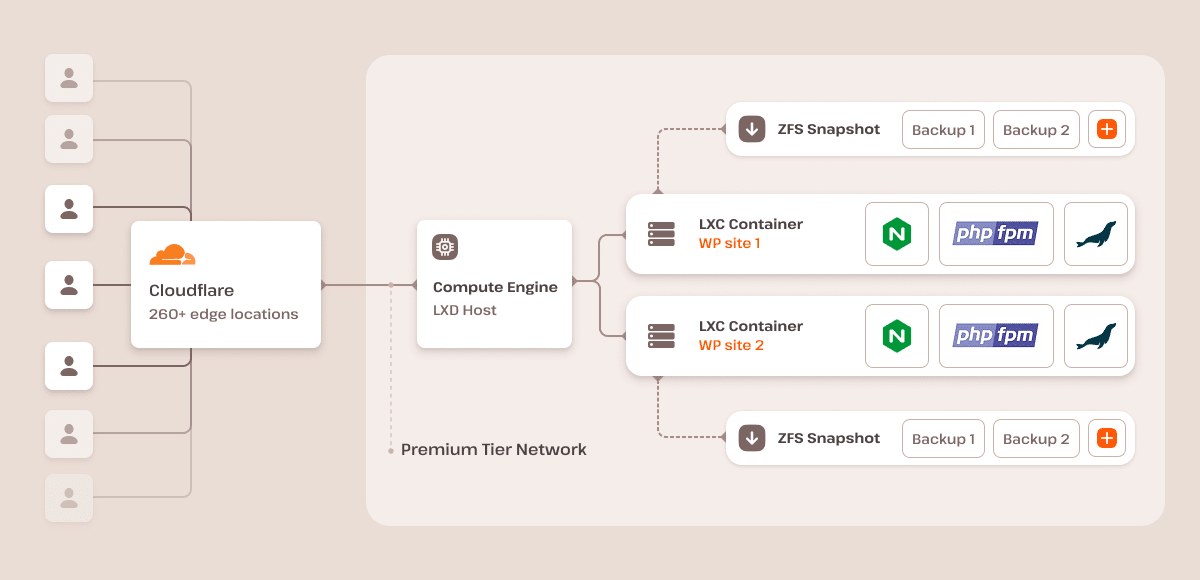
Our platform ensures each site runs in an isolated software container with all necessary software resources (Linux, NGINX, PHP, MySQL), guaranteeing strong isolation between sites so that processes and resources are separated, even across sites on the same account.
These containers run on a generously sized virtual machine in one of the multiple data centers, secured by our free Cloudflare integration. Additionally, we employ encryption at rest to safeguard customer data, ensuring top-notch security and privacy.
On our standard plans, each live site container can access 12 CPUs and 8 GB of RAM by default. Each staging environment on our standard plans has access to 1 CPU and 8 GB of RAM.
While each container can access CPU and memory resources, application performance also depends on the number of PHP threads allocated to a site. PHP threads determine how many uncached requests your site can process simultaneously. Sites with higher traffic or dynamic content may require more PHP threads to handle concurrent requests efficiently.
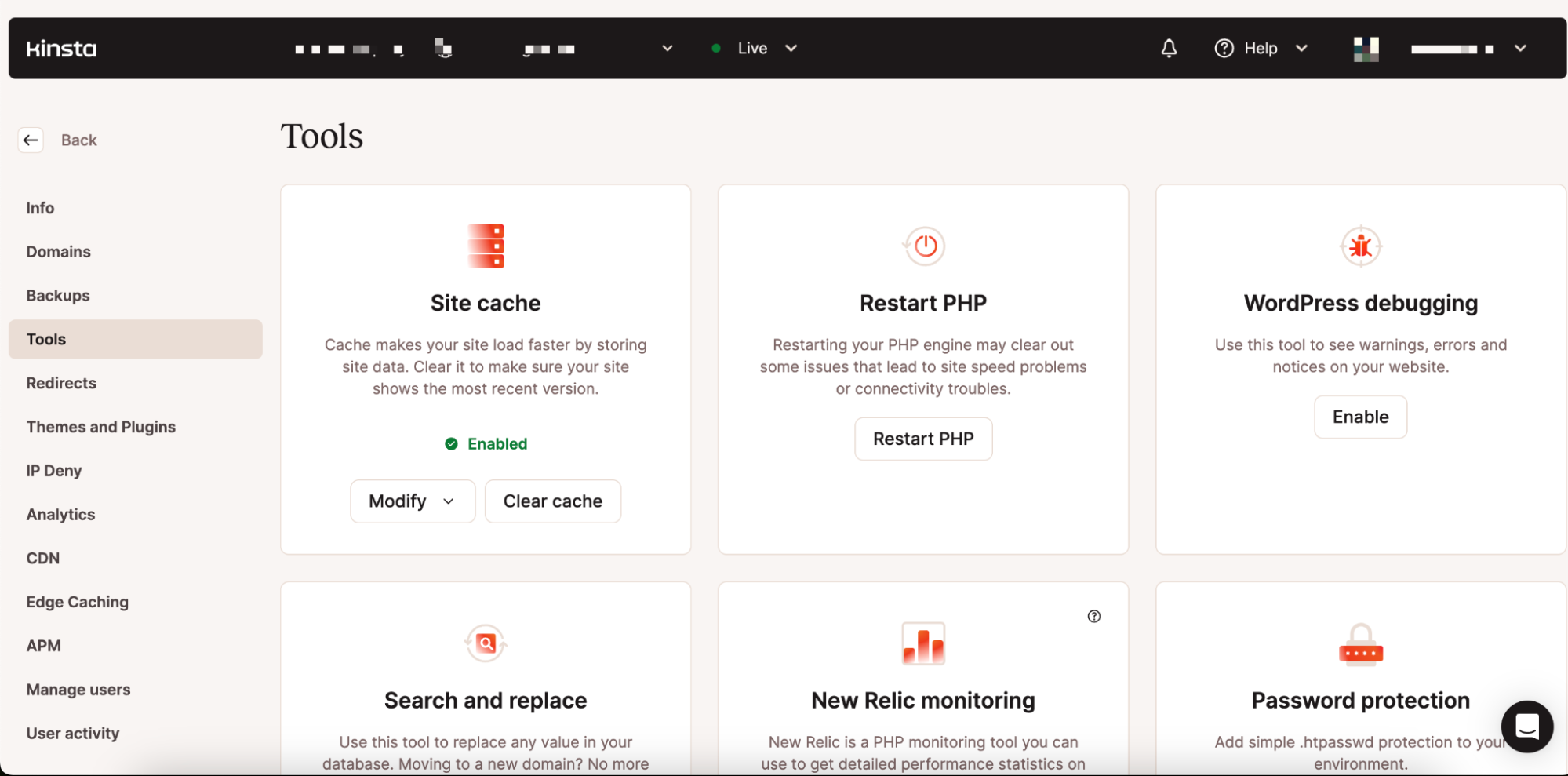
We also have a custom-designed dashboard (MyKinsta) that streamlines the creation and management of your website, all without the need for an external setup. It provides comprehensive access to vital information and tools, including detailed analytics, logs, backups, and more.
Summary
Now that you know what isolated container technology means, how it works, its features, and its advantages and disadvantages, you’re fully equipped to decide whether your website needs it.
If you’re looking for more reliable and secure hosting for your WordPress sites, we suggest choosing our managed WordPress hosting solution, which houses every WordPress site in its isolated container.
Check out what our customers say, or contact us to learn more about our managed hosting solution and how it excels on the isolated container technology.