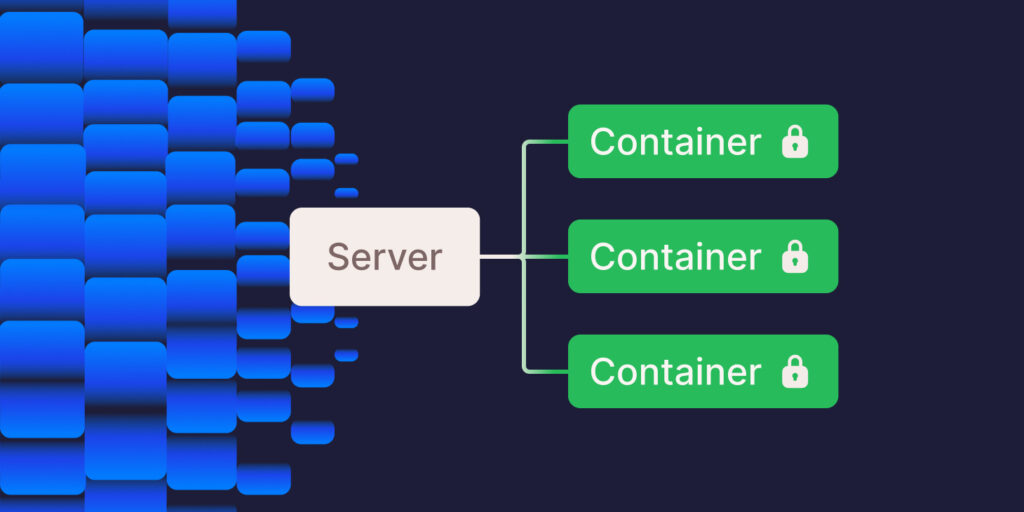
When choosing the right web hosting for your sites, you consider factors like speed, security, pricing, and scalability. Hosting providers try to meet those needs in different ways: with shared hosting, dedicated hosting, virtual private server hosting, and more.
In the past, we have written several guides comparing the various types of hosting, but in this guide, we explore isolated container technology and the underlying container technology of Kinsta’s infrastructure.
What are containers?
Before diving into isolated container technology, let’s consider what containers are. Containers are standalone packages that include everything needed to run an application, including the code, runtime, system tools, and libraries.
Unlike traditional virtualization, where each virtual machine (VM) runs its operating system, containers share the host OS kernel, which makes them lightweight and efficient.
Benefits of container technology
There are several advantages to using containers in web hosting, including:
- Portability: Containers encapsulate a website and its resources, making them highly portable. You can easily move a container from one hosting environment to another (like from a developer’s laptop to a test environment and then to production) without worrying about inconsistencies or compatibility issues.
- Consistency and efficiency: Containers enhance web hosting by efficiently using resources while ensuring websites run consistently across all environments, from development to production.
- Rapid deployment and scaling: Containers can be created and deployed quickly — a significant advantage in continuous integration and continuous delivery (CI/CD) environments. They also allow for quick recovery in case of a failure, as you can rapidly start a new container with the same configuration.
- Isolation and security: Containers provide an isolated environment for each site. This isolation ensures that the processes within a container do not affect other containers or the host system. This improves security, as issues in one container are contained and don’t impact others.
Challenges of container technology
Though there are many good things about using containers in web hosting, there are a few drawbacks as well:
- Security concerns: In web hosting, ensuring the security of containers is crucial as they share the host’s OS kernel. One container’s vulnerabilities could risk the entire server’s security, necessitating strong isolation and security practices.
- Complexity: Managing multiple containers for web hosting can be complex. Orchestrating these containers’ deployment, scaling, and maintenance requires expertise, especially when using tools like Kubernetes for larger setups.
- Storage challenges: Containers are typically designed to be ephemeral, which can introduce challenges for persistent storage in hosting environments. Effective strategies are needed to ensure data from websites remain intact even when containers are restarted or removed.
- Networking: Setting up and managing network configurations for containers in web hosting is complex. This involves ensuring containers can communicate effectively with each other and with external networks while maintaining security and performance.
- Compatibility issues: Ensuring that web applications run consistently across various environments is challenging. Differences in operating systems and dependencies can cause compatibility issues, requiring careful management and testing of container images.
The need for isolation
While containers provide several advantages over traditional software deployment methods, they have limitations.
One significant concern is the potential for security vulnerabilities when running multiple containers on a single host. While containers provide strong isolation, vulnerabilities in the host kernel or misconfigurations can potentially allow cross-container attacks.
Additionally, containers often compete for system resources like CPU, memory, and network bandwidth. This competition can lead to unpredictable performance and resource contention issues when containers are not properly isolated.
Container isolation refers to the practice of limiting the interactions and communications among containers within a containerized environment. This isolation guarantees that every container functions independently and securely, avoiding interference with other containers on the same host system.
Isolation in container technology relies primarily on two mechanisms:
- Namespaces: Containers use namespaces to create separate instances of system resources such as processes, networks, and filesystems. This prevents one container from accessing or modifying the resources of another container.
- Control Groups (cgroups): cgroups complement namespaces by limiting and prioritizing the resources (CPU, memory, I/O, network, etc.) that processes in a namespace can use. This ensures that a particular container doesn’t monopolize system resources, maintaining overall system stability and efficiency.
Isolated container technology vs shared hosting
Shared hosting is a more traditional form of hosting where multiple websites share resources on a single server. This cost-effective method is a popular choice for small businesses, bloggers, and individuals with limited budgets.
Shared hosting providers typically offer user-friendly control panels and easy setup processes, lowering the technical barrier to entry. However, the shared nature of resources means that high traffic or resource usage by one website can impact the performance of others on the same server.
Additionally, shared hosting poses higher security risks; if one website is compromised, others on the same server could be affected.
The choice between isolated container technology and shared hosting hinges on the specific needs and capabilities of the user. Isolated containers are ideal for those prioritizing security, stability, and scalability but come at a higher cost and require more technical know-how.
Shared hosting, while more affordable and user-friendly, has performance, security, and flexibility limitations, making it more suitable for smaller, less resource-intensive websites.
Understanding how Kinsta uses isolated container technology
Kinsta’s managed WordPress hosting plans don’t fall into traditional hosting categories. Unlike traditional shared hosting environments, Kinsta uses a containerized infrastructure designed for performance and isolation. We maintain a custom containerized hosting stack optimized for WordPress performance and security.
Kinsta uses Linux containers (LXC) and LXD as the underlying container technology for our WordPress hosting infrastructure, ensuring complete isolation for each account and WordPress site.
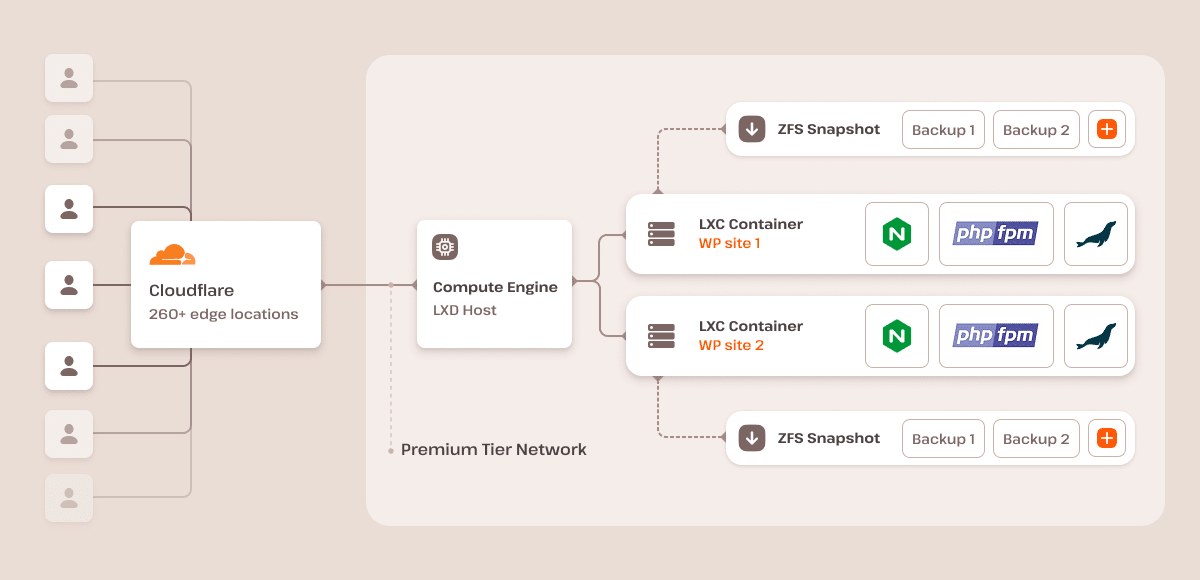
Our platform ensures each site runs in a dedicated, isolated software container equipped with all necessary software resources (Linux, NGINX, PHP, MySQL), guaranteeing strong isolation between sites so processes and resources are separated, even between sites on the same account.
These containers run on a generously sized virtual machine in one of the multiple data centers, secured by our free Cloudflare integration. Additionally, we employ encryption at rest to safeguard customer data, ensuring top-notch security and privacy.
On our standard plans, each live site container can access 12 CPUs and 8 GB of RAM by default. Each staging environment on our standard plans has access to 1 CPU and 8 GB of RAM.
While each container can access dedicated CPU and memory resources, application performance also depends on the number of PHP threads allocated to a site. PHP threads determine how many uncached requests your site can process simultaneously. Sites with higher traffic or dynamic content may require more PHP threads to handle concurrent requests efficiently.
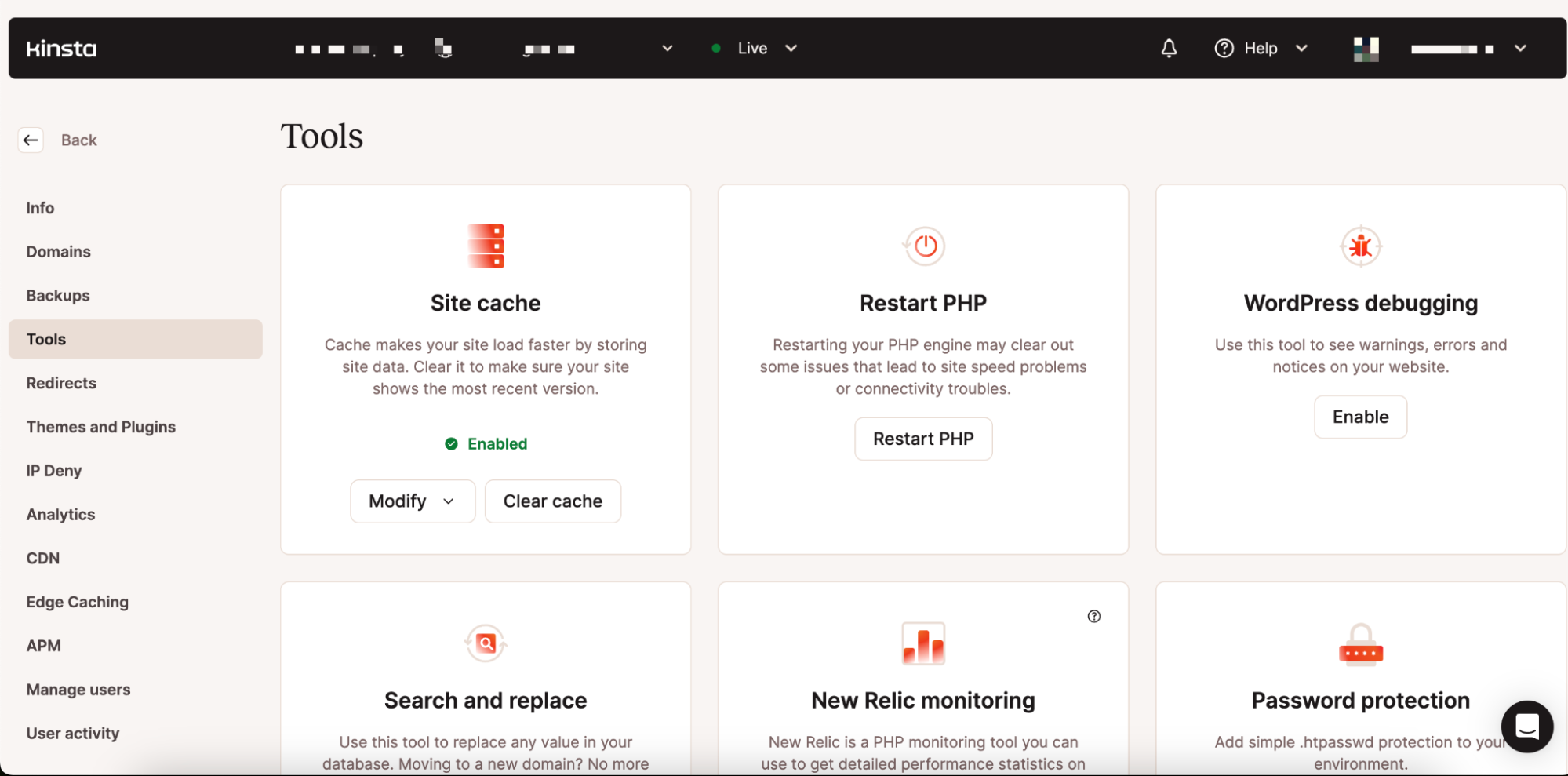
We also have a custom-designed dashboard (MyKinsta) that streamlines the creation and management of your website, all without the need for an external setup. It provides comprehensive access to vital information and tools, including detailed analytics, logs, backups, and more.
Summary
Now that you know what isolated container technology means, how it works, its features, and its advantages and disadvantages, you’re fully equipped to decide whether your website needs it.
If you’re looking for more reliable and secure hosting for your WordPress sites, we suggest choosing our managed WordPress hosting solution, which houses every WordPress site in its isolated container.
Check out what our customers say, or contact us to learn more about our managed hosting solution and how it excels on the isolated container technology.