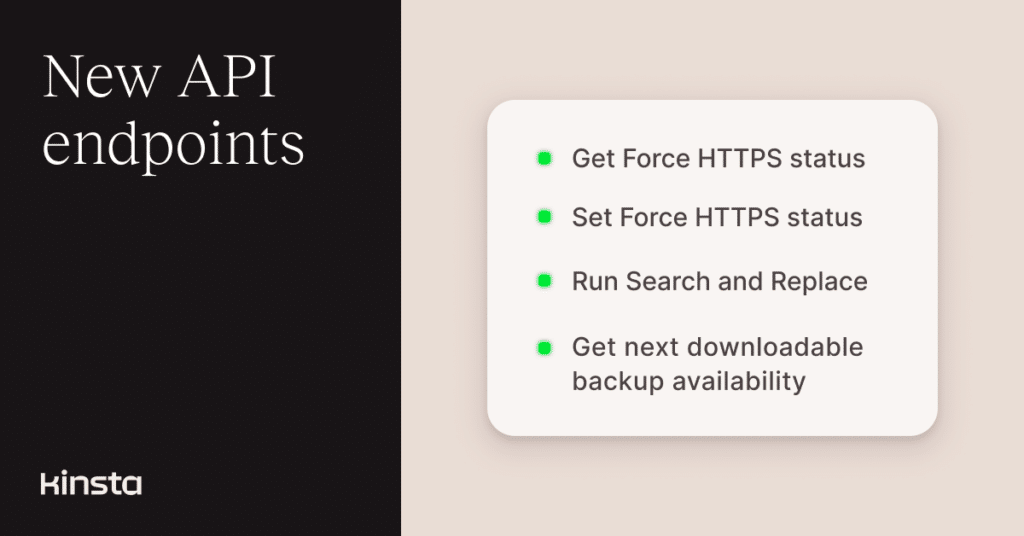
Several tasks that previously required a trip to MyKinsta can now be handled through the Kinsta API.
You can choose how a new domain is set up, manage Force HTTPS, run search and replace on a database, narrow site logs to a specific time period, and check whether a downloadable backup is available before requesting one.
Add domains with more control
The existing add new site domain endpoint now supports two optional fields: add_with_www_subdomain and setup_type.
Use add_with_www_subdomain to add the www version of a domain in the same request as the root domain. This field can’t be enabled when is_wildcardless is set to true.
The setup_type field lets you choose between:
quick, which is the default setup method.avoid_downtime, for workflows where the domain must be prepared before traffic is switched.
For example, the following request adds example.com and its www subdomain using the setup option designed to avoid downtime:
curl --request POST \
  --url https://api.kinsta.com/v2/sites/environments/{env_id}/domains \
  --header 'Authorization: Bearer <YOUR_TOKEN_HERE>' \
  --header 'Content-Type: application/json' \
  --data '{
    "domain_name": "example.com",
    "is_wildcardless": false,
    "add_with_www_subdomain": true,
    "setup_type": "avoid_downtime"
  }'
When the request is accepted, the API returns a 202 response with an operation ID that you can use to track its progress:
{
  "operation_id": "sites:add-domain-54fb80af-576c-4fdc-ba4f-b596c83f15a1",
  "message": "Adding site domain in progress",
  "status": 202
}
You can find all supported fields and response details in the API documentation.
Check and change Force HTTPS
Two new endpoints provide programmatic access to Kinsta’s Force HTTPS tool. You can retrieve the current setting for an environment and update it without opening MyKinsta.
To check the current status, send a GET request:
curl --request GET \
  --url https://api.kinsta.com/v2/sites/environments/{env_id}/force-https-status \
  --header 'Authorization: Bearer <YOUR_TOKEN_HERE>'
The response returns one of these values:
ENABLED_FOR_ALLENABLED_REDIRECT_TO_PRIMARYDISABLED
For example:
{
  "force_https_status": "ENABLED_REDIRECT_TO_PRIMARY"
}
To change the setting, send a POST request with one of the supported values:
curl --request POST \
  --url https://api.kinsta.com/v2/sites/environments/{env_id}/force-https-status \
  --header 'Authorization: Bearer <YOUR_TOKEN_HERE>' \
  --header 'Content-Type: application/json' \
  --data '{
    "type": "ENABLED_REDIRECT_TO_PRIMARY"
  }'
The API starts the update and returns an operation ID:
{
  "operation_id": "force-https:update-status-54fb80af-576c-4fdc-ba4f-b596c83f15a1",
  "message": "Updating Force HTTPS status in progress. Use the operation_id to check the status.",
  "status": 202
}
This means domain and HTTPS setup can now be part of the same provisioning or migration workflow.
Run search and replace through the API
The new search and replace endpoint brings another familiar MyKinsta tool to the Kinsta API.
You can search the WordPress database for a value, replace all matches, and clear site caches after the operation. Typical scenarios include replacing an old domain name after a migration or changing URLs from HTTP to HTTPS.
The perform_replacement field controls whether the request only searches for matches or also replaces them.
Here’s an example that replaces an old domain name with a new one:
curl --request POST \
  --url https://api.kinsta.com/v2/sites/tools/search-and-replace \
  --header 'Authorization: Bearer <YOUR_TOKEN_HERE>' \
  --header 'Content-Type: application/json' \
  --data '{
    "environment_id": "54fb80af-576c-4fdc-ba4f-b596c83f15a1",
    "search": "old-domain.com",
    "replace": "new-domain.com",
    "perform_replacement": true,
    "is_clear_cache": true
  }'
When the action starts successfully, the response includes an operation ID:
{
  "operation_id": "environments:search-and-replace-54fb80af-576c-4fdc-ba4f-b596c83f15a1",
  "message": "Search and replace in progress",
  "status": 202
}
As with the Search and Replace tool in MyKinsta, Kinsta creates a system-generated backup before running the replacement.
Search and Replace is case-sensitive, so the search and replacement values should be checked carefully before sending the request.
Search logs within a specific period
The get site logs endpoint now supports the optional search, from, and to query parameters.
This lets you narrow log results to a specific time period instead of retrieving a broad set of recent entries. You can apply the filters when requesting error logs, access logs, or Kinsta cache performance logs.
For example, the following request searches error logs for PHP Fatal error within a specific period:
curl --request GET \
  --url 'https://api.kinsta.com/v2/sites/environments/{env_id}/logs?file_name=error&lines=1000&search=PHP%20Fatal%20error&from=2026-07-23T00%3A00%3A00.000Z&to=2026-07-24T00%3A00%3A00.000Z' \
  --header 'Authorization: Bearer <YOUR_TOKEN_HERE>'
The matching log entries are returned in the logs field:
{
  "environment": {
    "container_info": {
      "logs": "Matching log entries..."
    }
  }
}
This is useful when you know roughly when a problem started or want to check logs around a deployment without pulling a large block of unrelated entries.
Kinsta retains site logs for up to four days, so the requested date range needs to fall within the available retention period. See more in the API documentation.
Check when a downloadable backup is available
A downloadable backup can be generated once per week. This new next-downloadable-backup-available endpoint now lets you check whether another one is available before starting the action.
curl --request GET \
  --url https://api.kinsta.com/v2/sites/environments/{env_id}/next-downloadable-backup-available \
  --header 'Authorization: Bearer <YOUR_TOKEN_HERE>'
If another downloadable backup cannot yet be created, the response includes the next available time:
{
  "is_backup_available": false,
  "reset_at": "10/10/2026, 06:16 AM UTC"
}
The existing endpoint for generating a downloadable backup (downloadable-backups) has also been updated. It now returns an error when another backup is requested before the reset time.
When a request is accepted, the response includes an operation ID:
curl --request POST \
  --url https://api.kinsta.com/v2/sites/environments/{env_id}/downloadable-backups \
  --header 'Authorization: Bearer <YOUR_TOKEN_HERE>'
Example response:
{
  "operation_id": "start-downloadable-backup-generation:update-status-54fb80af-576c-4fdc-ba4f-b596c83f15a1",
  "message": "Starting downloadable backup generation. Use the operation_id to check the status.",
  "status": 202
}
You can find complete details in the API documentation for checking backup availability and creating a downloadable backup.
Bring more MyKinsta workflows into your own tools
These releases expand programmatic access to several everyday MyKinsta workflows.
Together, these additions make it easier to manage WordPress environments consistently across internal dashboards, provisioning scripts, deployment workflows, and other automation built with the Kinsta API.