External Database Tools
Your WordPress database stores data required for your site to function, including information such as:
- Posts, pages, and other content.
- Comments on your posts or pages.
- Information about your site’s visitors.
- Categories and tags.
- Site settings.
- Plugin and theme data.
WordPress uses MySQL, a free, open-source database management system that enables the database to store information and provide you with access to it. When WordPress needs to update the database, it sends a MySQL ‘query’ to the database, which provides instructions about which data to update and how to update it. However, you can also directly access your database to run your own MySQL queries to perform tasks that you may not be able to do from your dashboard. For more information about the WordPress database, refer to A Beginner’s Guide to WordPress Database: What It Is and How to Access It.
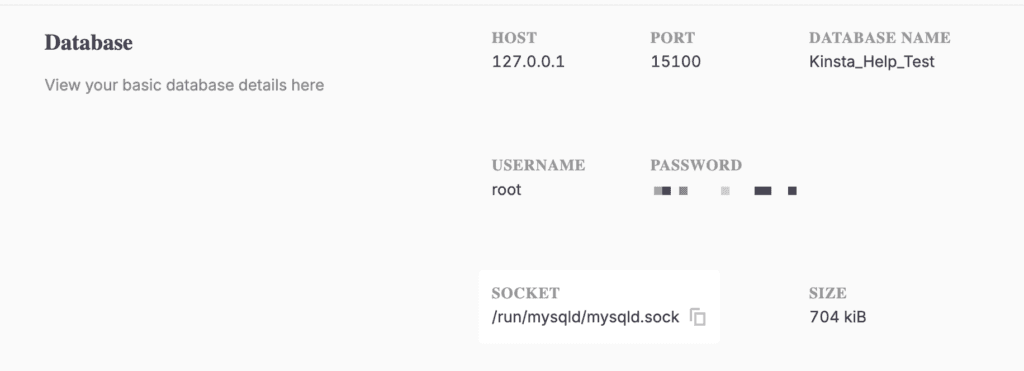
You can set up applications like TablePlus or Sequel Ace to access your local site’s database. All the access information you need can be found on your site’s detail page in DevKinsta.
TablePlus
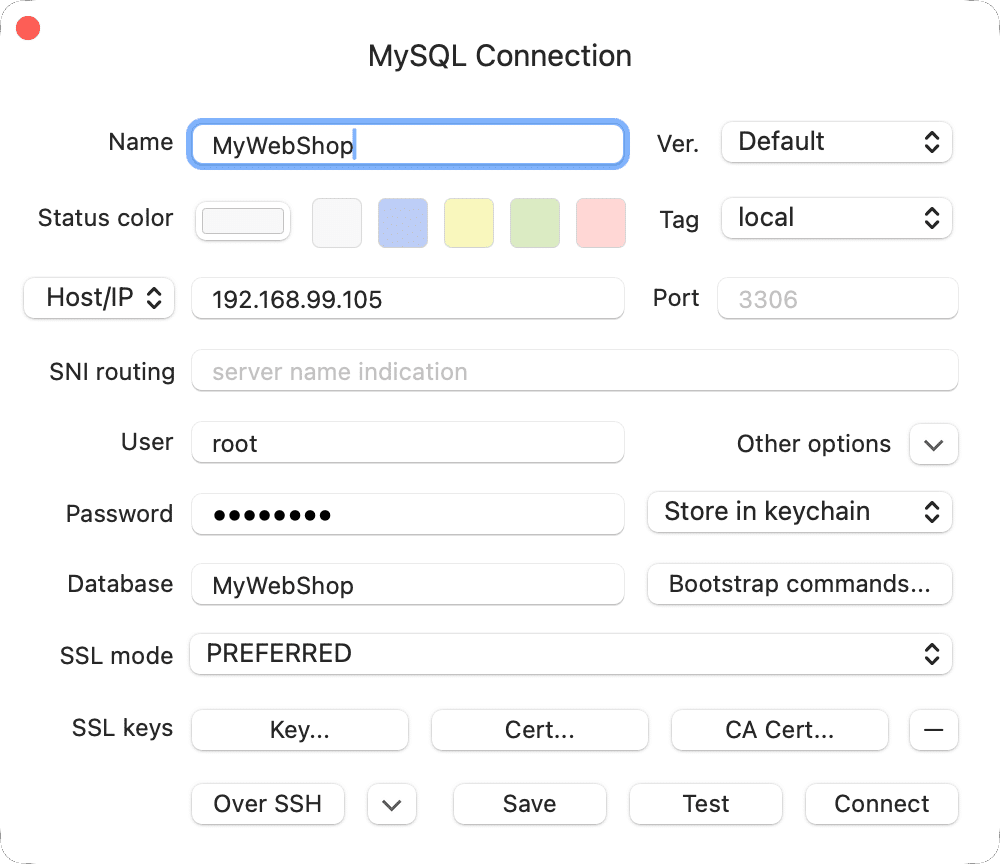
Create a new connection in TablePlus and select MySQL as the connection type. Add the following information to the form:
- Name: We recommend using the site name for ease of identification.
- Host: The IP of your site found under HOST in DevKinsta.
- Port: The port number under PORT in DevKinsta.
- User: Copy from the USERNAME field in DevKinsta.
- Password: Copy from the PASSWORD field in DevKinsta.
- Database: Copy from the DATABASE NAME field in DevKinsta.
Sequel Ace
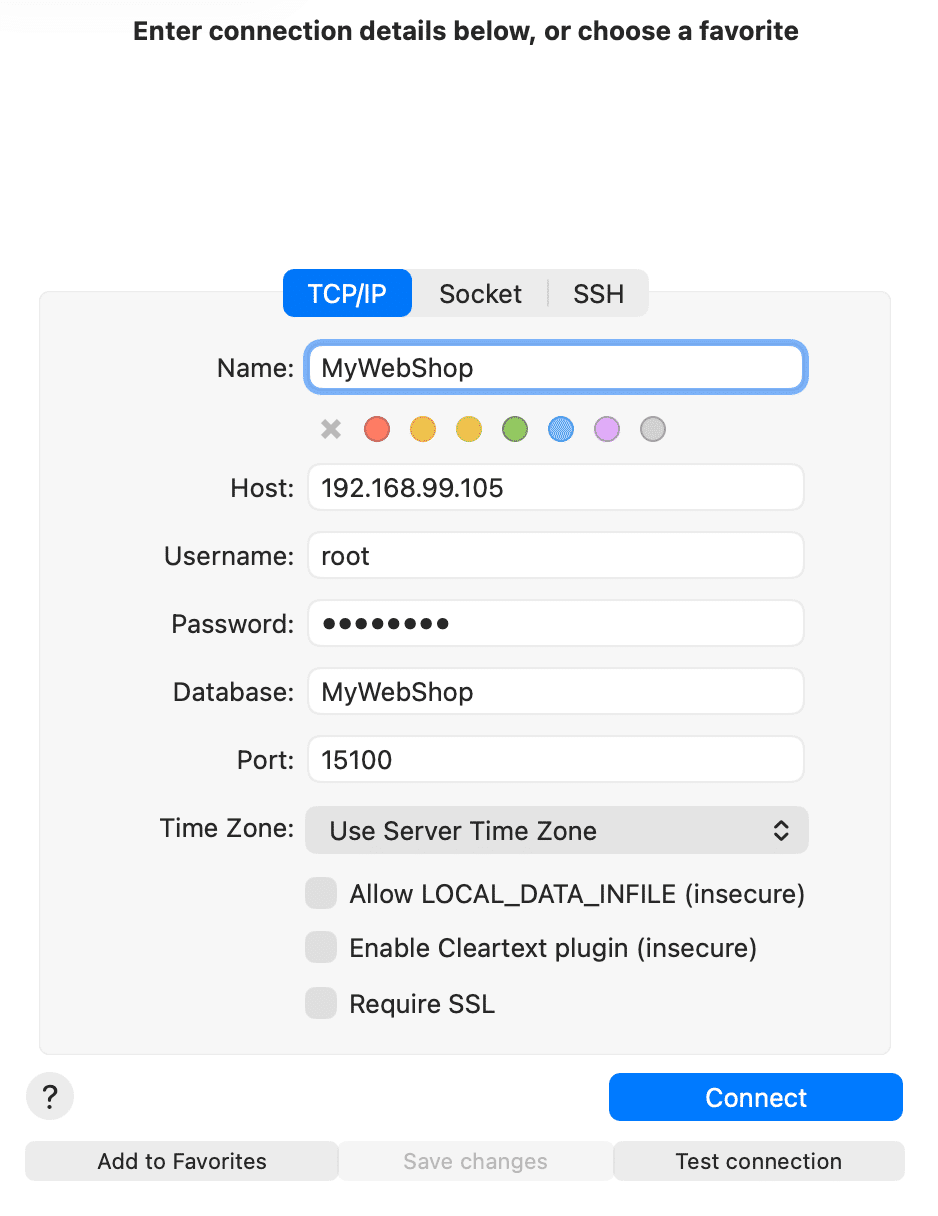
Click on Quick Connect in Sequel Ace and fill out the form with the following information:
- Name: We recommend using the site name for ease of identification.
- Host: The IP of your site found under HOST in DevKinsta.
- Username: Copy from the USERNAME field in DevKinsta.
- Password: Copy from the PASSWORD field in DevKinsta.
- Database: Copy from the DATABASE NAME field in DevKinsta.
- Port: The port number under PORT in DevKinsta.